Over emailing the wrong contacts has big consequences on deliverability. Combine Motiva Dark Pool with Frequency Management and Send Time AI to protect your domain reputation and improve engagement rates.

The Motiva Power Play series highlights workflows that combine several Motiva features to help you quickly supercharge your email marketing.
This post highlights the combination of Dark Pool, Frequency Management and Send Time AI to improve overall engagement and deliverability.
TLDR: Use Dark Pool to automatically group your active, fatigued and unreachable contacts. Adjust email send frequency for each group to dramatically improve your bounceback rates. And use Send Time AI for your active audience to reduce your daily send volume and improve engagement rates.
Email Service Providers (ESPs) like Microsoft, Apple, Google and Yahoo collect data everyday:
The number of emails they receive from a sender (if it’s more than 5,000 per day then you need to meet certain requirements)
How many of those emails bounce
How many contacts actually engage
How many contacts unsubscribe or flag your emails as spam.
ESPs use this data to determine your domain reputation and what to do with your emails. Are your emails marked as important? Do your emails go in the inbox, the promotions folder or the spam folder? Do contacts receive a suggestion to unsubscribe? Are your emails simply blocked?
A few things you can do immediately with Motiva to improve your domain reputation:
Don’t email unreachable contacts
Send way less email to disengaged contacts
Reduce your overall daily send volume by using a staggered send approach
Target by Contact Quality
Motiva Dark Pool uses engagement data including opens, clicks, form completions and web views as well as bounceback codes and messages to determine the health of each contact in your database. We automatically group your contacts so you can target them in your email campaigns.
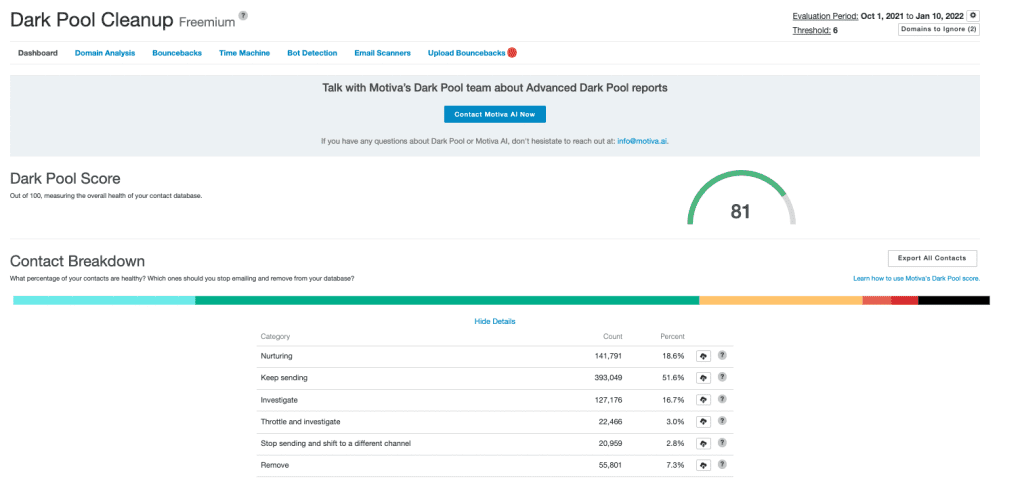
In the Eloqua campaign canvas, put the Smart Suppress step after your segment step so you can route healthy contacts down the check branch and unhealthy contacts down the X branch. Add another Smart Suppress step on the X branch to separate the fatigued contacts from the unreachable contacts.
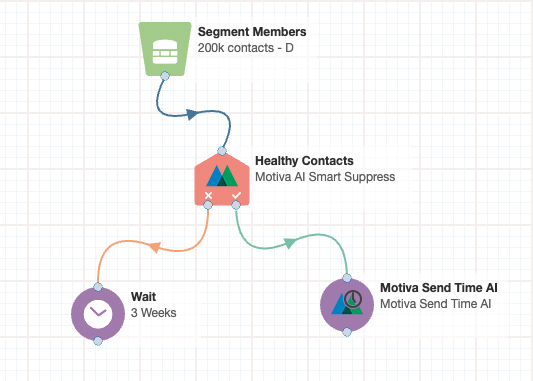
Healthy contacts are responding to your current email strategy, including the frequency of your email sends. No change necessary.
However, fatigued contacts should receive far less email and only high value content that will win another opt-in. Either suppress them completely from top funnel content or send them high value content with a stricter Frequency Management rule.
Unreachable contacts should be completely suppressed. Don’t email these contacts even in re-engagement campaigns. Your bounce rates and sender reputation will dramatically improve. Your engagement rates will realign to your reachable audience so you’ll see how you’re really performing without all the unreachable contacts pulling you down. Learn more about Dark Pool by reading our blog
Manage Send Frequency
Motiva Frequency Management allows you to set a limit to the number of emails your contacts receive within a period of time so you can protect against fatigue. As long as you have a Motiva step on the campaign canvas, you can automatically control their email send frequency in the Frequency section or add a Frequency Management decision service step if you want to use an Eloqua email step.
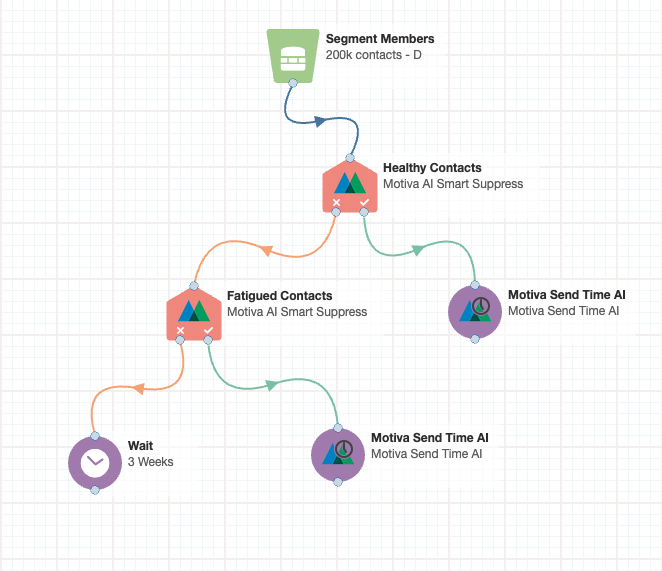
We recommend a different Frequency Management rule for your active and fatigued contacts.
Use the configuration tab to set up a separate, stricter rule for your fatigued contacts. Based on our analysis across clients, we suggest emailing fatigued contacts no more than 1 email per week.
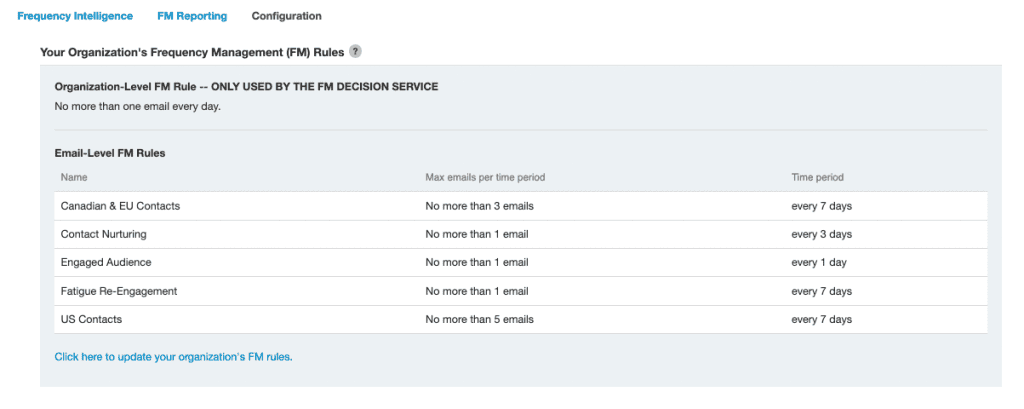
Send your unreachable contacts to a wait step so you can track contacts but make sure these contacts don’t receive an email until you have a clear reason for re-engaging.
Stagger Sends and Reduce Daily Send Volume
Send Time AI identifies the ideal send time for a contact based on their open and click history. We take larger segments, break them into smaller batches based on ideal send times and send a batch every hour for seven days. Instead of emailing 100,000 contacts in one hour, that send gets broken down into 168 different sends. 100,000 divided by 168 hours is ~595 sends per hour. Huge difference and ESPs will recognize it.
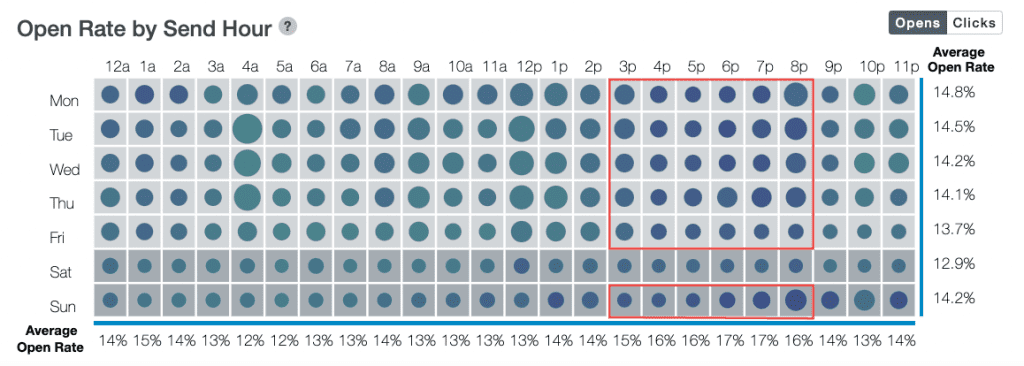
Use Send Time AI with your active audience because they’ll have activity data to optimize for send time.
We also recommend using Send Time AI with your fatigued population, even if they don’t have a lot of activity data, because STAI will still stagger the send across 7 days.
Check out our article on how Send Time AI works to learn more.
