
Your email marketing campaigns are only as strong as your database. Garbage In, Garbage Out. Filter out the garbage with Motiva’s new Dark Pool Smart Suppress.
To help you achieve your best email marketing results, we’ve now launched our Dark Pool Smart Suppress decision step. It allows you to filter out unreachable contacts that are dragging down your engagement metrics and results, while the campaign is running.
Here are a couple ways to use the new service in your canvases.
Eloqua is very much a choose your own adventure tool. To that end, we designed these steps to be configurable based on the categories you find relevant. We recommend first testing these steps in non-essential campaigns before moving on to anything more mission critical.
Multi-Step Campaign Canvases
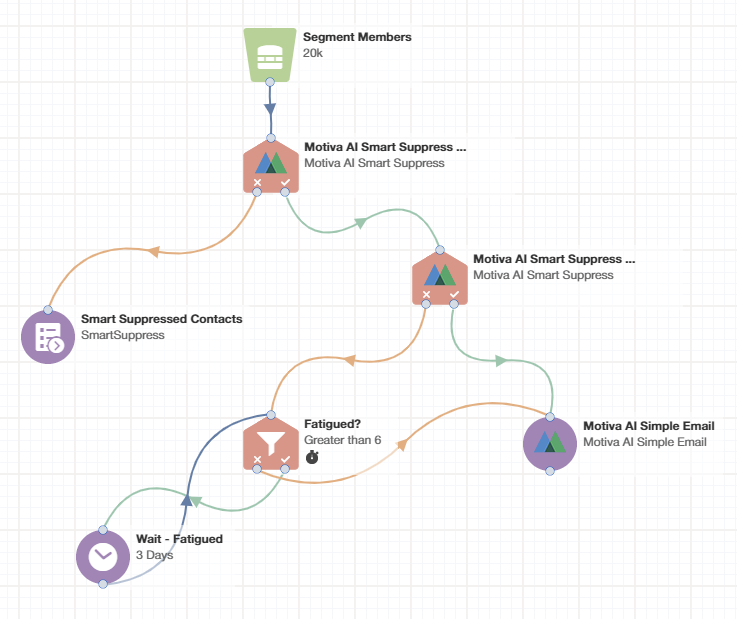
In the above example we’re using a combination of the new decision step, Motiva’s email step, and a Shared Filter that leverages either Oracle’s fatigue levels, or your own in-house fatigue measurement system. This step will also work nicely with Motiva’s Frequency Management.
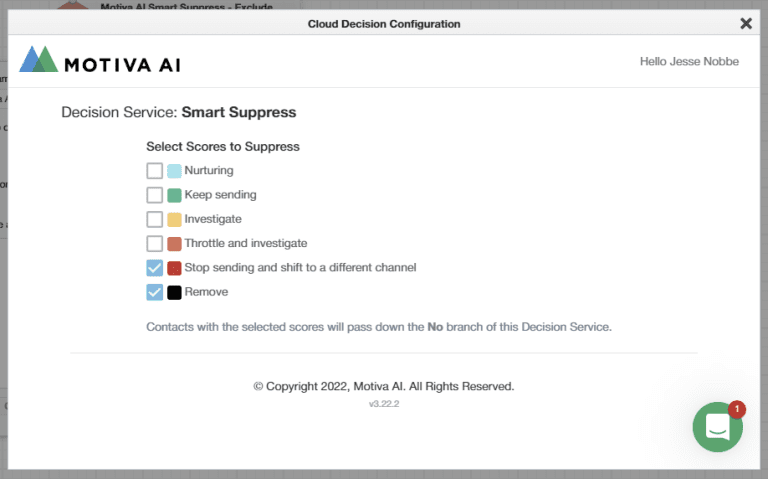
Here we see the configuration for the first suppression step. Contacts that have been deemed to be unreachable are siphoned off at the beginning of the campaign using this configuration.
The benefit here is that Contacts that would have been mailed (and potentially bounced or flagged spam) will still be accounted for in the campaign metrics. This should help better understand what kind of impact Dark Pool is having on your campaign effectiveness.
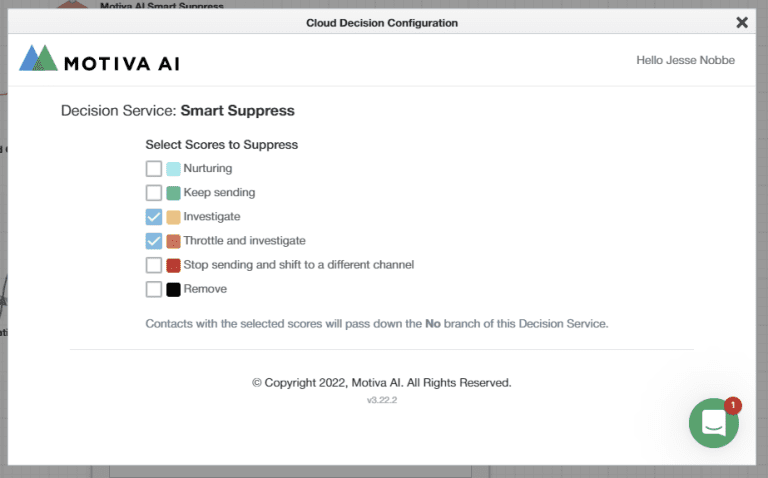
In the next suppression step, we are funneling Contacts with questionable reachability to our fatigue analysis steps. Any Contacts that pass down the Yes path in this example will be eligible for email. Any Contacts that stop being fatigued during the campaign will make their way to the email step as well.
Another approach here would have been to choose only “Keep sending” (and “Nurturing” if you’d like) in the first step and let all other Contacts go down the Yes path. Keep in mind with that approach Contacts not represented within the Dark Pool data would also go down the Yes path and not be mailed.
These steps can be a great help as you treat the Contacts within your Dark Pool. Keep in mind that:
- The data within Dark Pool is typically refreshed on a monthly-to-quarterly basis. So, repeat checks of the categories within a campaign will not yield different results (unless the campaign is a long running nurture).
- Acting on the insights surfaced by the Dark Pool tool itself are critical for the long run. These steps can help you improve campaign performance in the near term.
Program Canvases
In this example we’re leveraging the Program Canvas to create 7 Shared Lists. One list for each Dark Pool category and an additional list for Contacts not represented in the Dark Pool population. Each Dark Pool step is configured as above, except that each one corresponds to only one category.
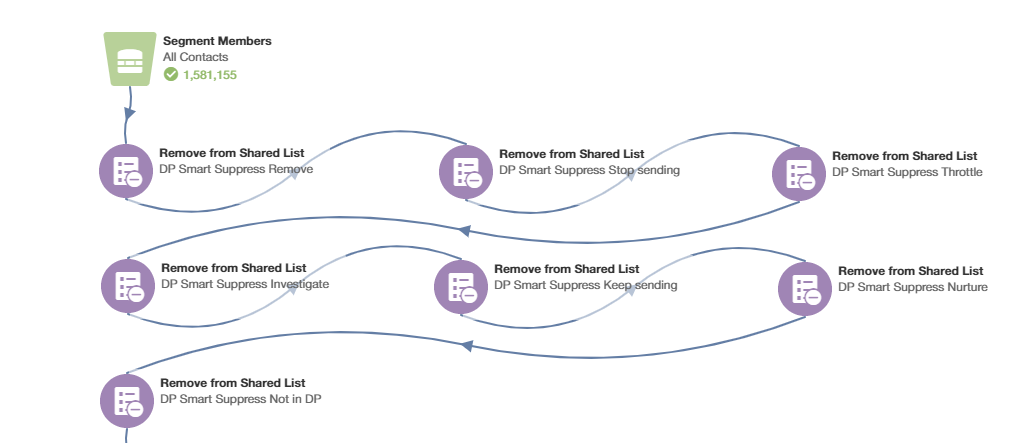
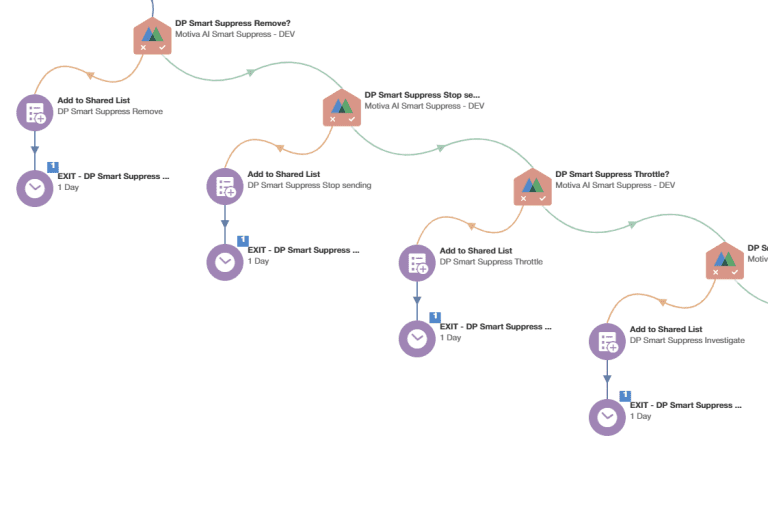
This program can be recreated in several other ways:
- Using Update Rules (if available in your instance) to write into one or more Contact fields.
- Using Form Submit app steps to write into a Custom Object with one or more fields.
Each of these approaches allows the Marketing Operations team to better assist marketers in segment building, lead management processes, and in reporting. Note that because the data is refreshed on a monthly-to-quarterly basis this program need only be run after a refresh (it doesn’t need to run every day). Stay in touch with your Motiva point of contact and internal stakeholders to know when the time is right to re-run such a program.
The above program ran in about 30 minutes with our test database of over 1.5 million contacts.
For more information on Dark Pool, check out our help pages.
Want a no-cost, no-obligation analysis of your database contacts? Learn more about our Data Health Check!
Want to see what else Motiva can do for your bottom line? Schedule a Demo!
