Unlock the power of Motiva’s Custom Brand Voices to develop Message Testing versions that improve performance while maintaining brand alignment.

In today’s fast-paced digital landscape, marketers are looking for ways to save time and improve marketing performance while still delivering effective and on-brand messaging. Motiva provides a solution with Generator™ and our Brand Voice fine tuning feature combined with Message Testing.
Motiva Generator™ allows businesses to take advantage of large language models while maintaining strict security and privacy policies. This means you can quickly generate email content and Message Testing versions without having to worry about copyright issues. This feature alone can save businesses time and resources by automating content creation, but Motiva takes it a step further with their Custom Brand Voices feature.
Custom Brand Voices
Custom Brand Voices allow you to further refine the email copy generated and align it with your company’s brand guidelines. This is particularly useful for businesses with multiple product lines or representatives, ensuring consistency in messaging and branding.
And even if you don’t have brand guidelines in place, Motiva can automatically generate them based on existing marketing copy.
In the Motiva platform, click the “Generator” tab in the main menu and the “Brand Voices” tab in the submenu.
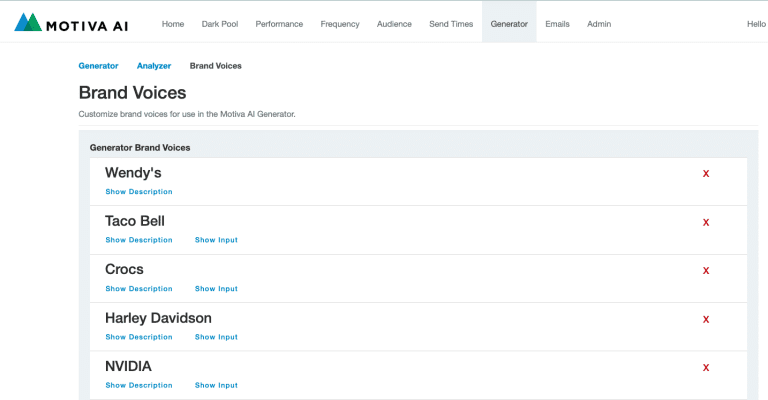
Scroll down to the bottom of the list and click the “Add Brand Voice” button.

A configuration window will appear. Give your brand voice a name so you can find it in the list of brand voices in Generator™. Get started by providing up to five (5) input URLs, like websites, brand docs, etc, and press the “Create Brand Voice” button below.

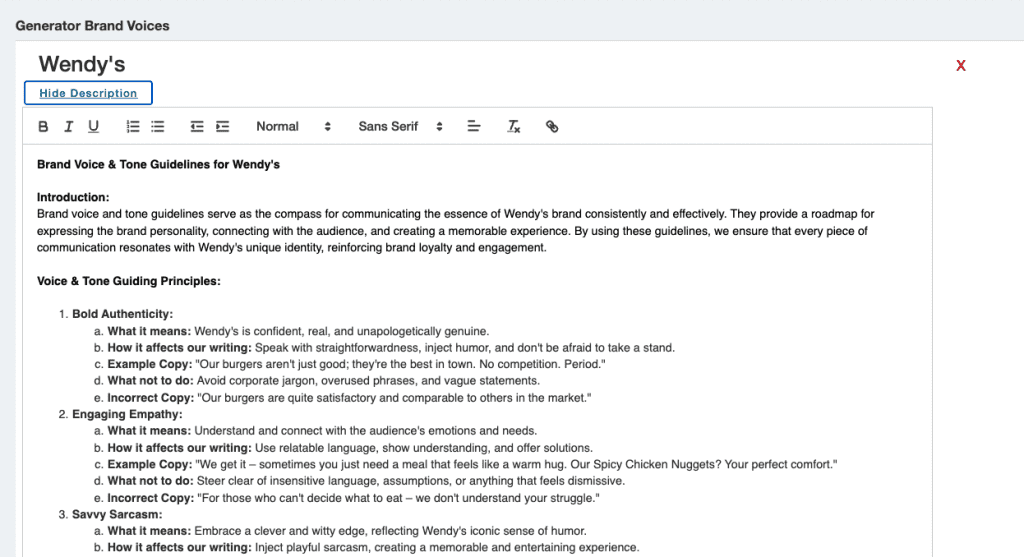
This will automatically generate guidelines for you. Click “Create Brand Voice” to save it. You’ll see that each custom brand voice in the list has a “Show Description” option under the name. Click this option to see your automatically generated brand guidelines. Read through it and see what you think. Feel free to revise and edit the guidelines generated to better align messaging with your brand.
Message Testing
It’s with this guiding criteria in the Brand Voice description where Message Testing can be particularly useful. Create multiple Brand Voices and tweak the guiding criteria of each to expand the tone and style of your messaging in different ways. Generate messaging with each Brand Voice and test the variations using Message Testing. Which Brand Voice consistently gets the best results for specific marketing teams and audiences?
For example, let’s say you want a Brand Voice that takes a more advisory content approach compared to an inspirational approach or promotional approach.

Create three custom brand voices, each including a section for one of the approaches. Generate three email versions, each using a different brand voice approach. Test these email versions in a Motiva Message Test to see the impact on your audience and which Brand Voice approach works best.
Here are some suggestions for experimenting and adapting the guiding criteria:
Focus on specific audiences and professional language.
Adjust the tone to be more bold or moderate, professional or casual,
Highlight specific value propositions. For example, saving time versus making money.
We’re excited to see how you use Brand Voices with Message Testing. Please reach out if you want help designing an experiment or to share your results.
Learn more about using Generator™ with Message Testing.
